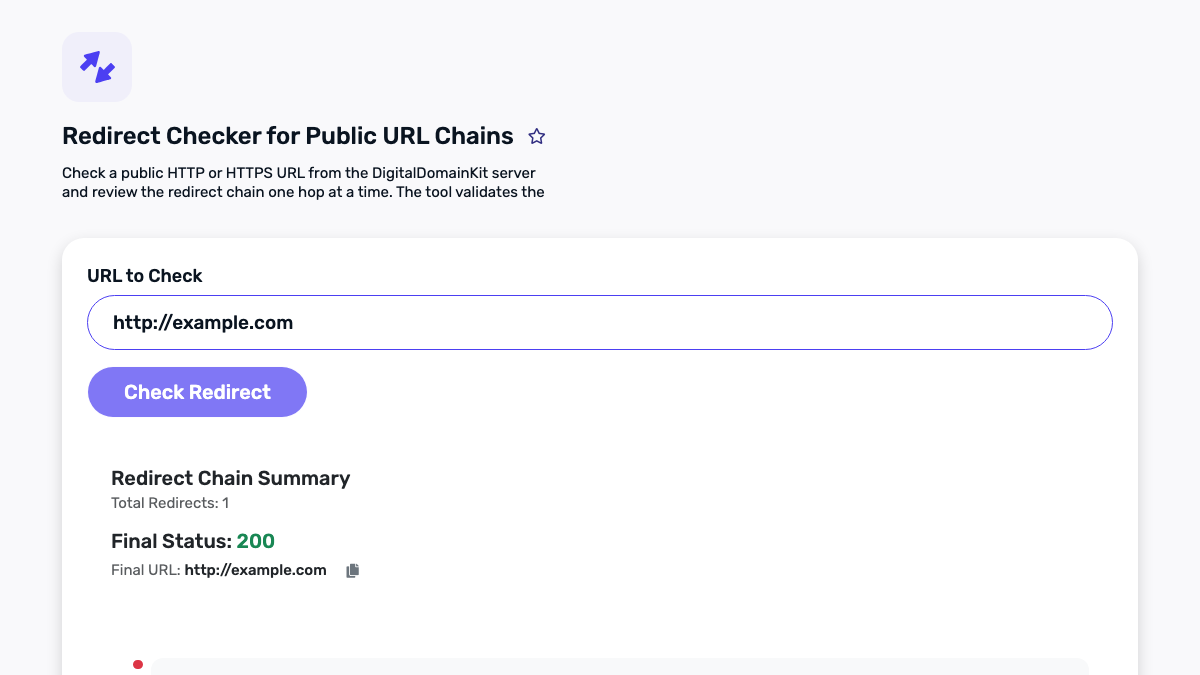
Redirects look simple until a browser, a crawler, a cache, and a visitor all take slightly different paths. A page moves, an old campaign URL still exists, or HTTP becomes HTTPS. The desired outcome is usually straightforward: a person and a search engine should reach the intended canonical page quickly, securely, and without losing useful context. The difficult part is proving what actually happens on the wire.
This guide is a field checklist for diagnosing redirect and HTTP-status problems before a release. It is written for site owners, developers, and marketers who need a defensible answer to questions such as “Does this old page really reach the new one?” and “Why does this URL work in my browser but not in a crawl?” Use it alongside Digital Domain Kit’s Redirect Checker and HTTP Status Code Checker. Those tools help inspect a URL; the decision about what to change should still come from the purpose of the page and a tested deployment plan.
Start with the outcome, not the redirect rule
Before opening a server configuration file, write down the expected outcome in one sentence. For example: “Every request to the discontinued product URL should return one permanent redirect to the closest replacement page.” That statement gives you a testable contract. It also prevents a common failure mode: adding rules until a browser appears to land somewhere acceptable, without checking whether the first response was an error, whether an extra hop exists, or whether the final page is unrelated.
Make a small test table with the request URL, the expected status, the expected final URL, and the reason for the redirect. Include realistic variants: http and https, www and non-www if both have ever been public, a trailing slash variant where relevant, and one URL with a query parameter that must be retained. Use a staging hostname when possible. If the change is already public, keep the test set modest and avoid submitting URLs that contain tokens, account identifiers, or search terms you would not want recorded in logs.
What a redirect check can tell you
An HTTP redirect is a response with a status in the 3xx range and a Location header naming the next destination. A browser may follow that instruction automatically, which is convenient for visitors but hides the path from casual inspection. A redirect checker exposes the individual responses so you can see whether the route is one clean hop, a chain, a loop, or an unexpected error.

The exact meaning of a status code depends on the request method and implementation, but the high-level distinctions matter. A 301 indicates that the resource has been assigned a new permanent URI; a 302 is a temporary redirect; 307 and 308 are temporary and permanent redirects respectively that preserve the request method. The HTTP Semantics specification is the primary reference for these meanings. Choosing a code because it “seems better for SEO” is weaker than choosing it because it matches the actual duration and behavior of the move.
Also inspect the final response. A redirect chain ending in a 200 page may be fine in a short migration test, while a chain ending in a 404, 500, login page, or generic homepage is a different problem. The Website Status Checker can be useful for a quick availability view, but it does not replace checking the complete route for a URL that changed.
A reliable five-step diagnosis
1. Check the exact URL that was shared or indexed
Copy the complete address from the source you are investigating. Do not silently replace it with a friendlier version. The old URL may have an encoded character, a capital letter, a legacy path, or a query string that exposes the real defect. Run it through the Redirect Checker and record the returned status, each destination, and the last response. Then repeat with the canonical URL you expect visitors to use.
2. Compare the route with the stated intent
A clean route is not automatically a good route. Ask whether the final destination fulfils the intent of the original page. Redirecting a retired article to a relevant replacement or category can help a visitor continue their task. Redirecting every missing URL to the homepage can be confusing, can hide genuine missing content, and makes maintenance harder. If no meaningful replacement exists, a normal 404 or 410 response may be more honest than a forced redirect.
3. Identify duplicate normalization hops
Many chains come from several independently reasonable rules: one rule forces HTTPS, another adds www, a third changes a path, and an application-level rule adds a slash. Combine compatible normalization decisions so the requested variant reaches the canonical destination in one redirect whenever practical. Do not collapse rules blindly; test old campaign URLs and query parameters after each change.
For example, an HTTP legacy URL that redirects to HTTPS on the old host and then redirects again to the new host is usually avoidable. A direct redirect from the original URL to the final canonical URL is easier to reason about, faster for visitors, and simpler to monitor. Use the .htaccess Redirect Generator only as a starting point; inspect the produced rule in the context of your web server and framework.
4. Rule out loops and client-side detours
A loop occurs when a destination eventually points back to an earlier URL. It is often caused by a disagreement between a CDN rule, a load balancer, the application, and an HTTPS enforcement rule. Test from a private browser window after clearing only the relevant site data, then test the HTTP responses directly. A browser cache can preserve a permanent redirect and confuse the diagnosis, so document the response sequence rather than trusting one address-bar result.
JavaScript redirects and meta refreshes can be necessary in narrow cases, but they are not equivalent to a server-side redirect. They add a rendering dependency and can create a visibly delayed experience. Prefer a proper HTTP response when the server controls the move. If a client-side redirect is unavoidable, explain why, test it without JavaScript where appropriate, and make sure the destination is accessible.
5. Retest after the configuration and cache layers settle
Deploying the rule is not the end of the task. CDN caches, reverse proxies, browser caches, and application routes can each preserve an earlier answer. Retest the original list after deployment. Capture the date, environment, request URL, observed statuses, final URL, and tester. This record is useful when a later change reintroduces a hop or when a stakeholder asks whether a campaign link was handled correctly.
Common patterns and the right questions
One permanent move: An old documentation URL is replaced by an equivalent guide. Confirm that the old URL returns a permanent redirect and that the new guide returns 200. Check the page title, canonical declaration, and internal links so the site itself no longer sends new visitors through the old path.
A temporary campaign: A short-lived promotion points to a landing page. A temporary redirect may match the operational reality. Set a calendar reminder to remove or revise it after the campaign. Temporary should not mean “never reviewed.”
An unavailable service: If the destination is down, a redirect cannot make the experience healthy. Investigate the final 5xx response, upstream timeout, TLS configuration, or DNS problem. The redirect checker tells you where the route stops; server and application logs are needed to explain why.
A changing query string: Some parameters are essential, such as a selected language or an item identifier; others are tracking noise. Specify which parameters must survive the redirect before modifying rules. Test with and without them. Do not accidentally turn every URL into the same generic landing page.
Keep a small redirect inventory
Redirects accumulate because each one solved a real problem at one point in time. A lightweight inventory makes them maintainable. Store the source pattern, destination, reason, owner, date added, expected status, and a review date. Link the change to a ticket or deployment note. For high-value paths, record an automated check in your release checklist. This is curation work: it converts a pile of opaque rules into an intentionally maintained part of the site.
Review the inventory after a domain migration, framework upgrade, CDN change, information-architecture rewrite, or large content deletion. Those are the moments when duplicate rules and unintended catches appear. Do not rely on a single third-party checker for all monitoring; use it as one visible inspection step and supplement it with server logs, Search Console reports where available, and your own release tests.
Pre-publish checklist
- Define the purpose and expected final destination for each source URL.
- Test the exact legacy URL, not a cleaned-up substitute.
- Record every hop and the final HTTP status.
- Confirm the final page is relevant, accessible, and returns the intended response.
- Reduce avoidable normalization chains without breaking necessary parameters.
- Check for loops across application, proxy, CDN, and server rules.
- Update internal links so new clicks use the final canonical URL.
- Retest after deployment and document the result.
Redirect diagnostics are less about collecting status codes than preserving a clear route for real people. A short, intentional route to a relevant page is easier for visitors, easier to maintain, and easier to audit when the site changes again.