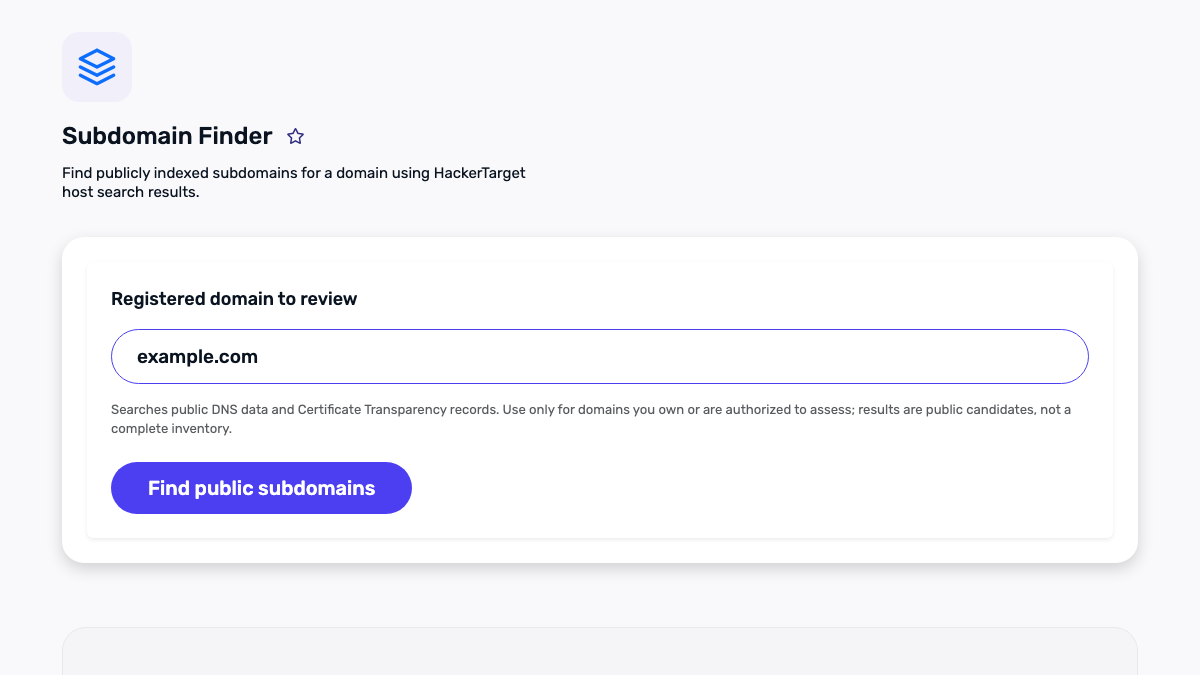
Public subdomain discovery sounds simple: enter a domain, collect hostnames, and make a list. In practice, a list of names is only the first signal. A hostname can be historical, delegated elsewhere, protected by access controls, or no longer resolve. Treating every result as a live service creates noise and can lead to bad decisions. A more useful approach is to collect public candidates, verify the small number that matter to a site you are authorized to review, and record the limits of the process.
This guide is for website owners, developers, and administrators reviewing their own domains. It is not a guide to probing third-party systems or bypassing access controls. Public discovery is useful for housekeeping: finding a forgotten documentation hostname before a migration, checking whether a staging name accidentally appears in a certificate log, or building an inventory before changing DNS. It does not grant permission to test systems you do not own or manage.
What a public subdomain result actually means
A subdomain is a hostname below a registered domain, such as docs.example.com below example.com. A public source may reveal that a hostname appeared at some point. It does not necessarily show that the hostname resolves today, that it belongs to the same team, or that it should be visited. The distinction is important because different data sources answer different questions.
- Certificate Transparency records can show names included in publicly logged TLS certificates. A name in a certificate can be old, covered by a wildcard, or issued before a launch was cancelled.
- DNS records describe current name-resolution data, but a successful DNS response is not proof that an HTTP application is available.
- Search indexes and public links may expose pages that have since moved or been removed.
- Your own DNS provider, hosting account, and deployment records are the authoritative places to confirm ownership and intended use.
The goal is therefore not “find every subdomain on the internet.” It is to produce a defensible review queue: public candidates, their source, a verification date, and a disposition such as active, retired, external delegation, or inconclusive.
Start with scope and an inventory question
Before entering a domain into a discovery tool, decide what you are trying to answer. “What names have appeared publicly?” is different from “Which names should be in our DNS inventory?” and different again from “Which applications should our team maintain?” A narrow question produces a cleaner result.
For an ownership review, write down the registered domain, its expected product or environment prefixes, the responsible team, and the date. Also list names that should not be broadly tested, such as production payment services, customer-specific hostnames, or third-party SaaS delegations. This simple scope note prevents an inventory exercise from turning into unplanned security testing.
Turn candidates into an accountable review queue
Keep the first pass deliberately boring. Export the candidate names with the source that produced each one, then remove duplicates without erasing the source information. A hostname that appears in both a certificate log and a DNS result is still one candidate, but recording both signals helps the reviewer understand why it was included. Add columns for the review date, the expected owner, the verification method, and a final disposition. This changes a loose list into a maintenance record that another member of the team can pick up later.
For each candidate in your authorized scope, start with a non-invasive question: does the name resolve in the DNS records you administer, and does it correspond to a service you recognize? A current record can point to an internal load balancer, a managed platform, a third-party provider, or a service that was intentionally retired. Avoid treating a name as abandoned simply because a browser request fails. Some services are private by design, require a specific path, or serve no HTTP response at all. Ownership records, deployment history, and the responsible team are better evidence than a single public request.
Use categories that prompt an action. Active and expected names belong in the maintained inventory. Retired names need a documented removal or redirect decision. External delegation names should identify the provider and owner so a future DNS change is not surprising. Inconclusive names should have a follow-up owner and date rather than being silently discarded. If a result looks security-sensitive, stop at the evidence needed for the inventory and use the organization’s approved security or support process.
This record also improves future cleanup. When a certificate renewal, hosting move, or DNS migration happens, compare the current public candidates with the prior reviewed inventory. The goal is not to make the list long. It is to know which public names have an accountable purpose and which need a deliberate decision.
Use the Subdomain Finder to gather public candidates. Its source labels are useful because they preserve how a name was found. Export the results if you need to share them internally, but keep the source label with each hostname. A candidate from a certificate log deserves a different interpretation from a name returned by a current DNS query.

Why certificate records are valuable—and incomplete
Certificate Transparency (CT) is a public logging ecosystem intended to make certificate issuance auditable. Modern browsers use CT-related checks for publicly trusted certificates, and logs can reveal hostnames placed in certificate subject alternative names. The Certificate Transparency Version 2.0 specification explains the log model and why it supports public monitoring.
CT is especially helpful when a team has changed vendors or has incomplete historical documentation. It may surface help, status, api, or regional hostnames that were once included in a certificate request. But it has predictable blind spots. Private names do not appear in public certificates. Wildcard certificates may not enumerate every individual hostname. Older records can outlive the service they described. Names may also be shared with an acquired product, a vendor, or a domain that is no longer under the same operational control.
For that reason, avoid interpreting a CT entry as a target. It is evidence that a certificate contained a string. The next step is a controlled, authorized verification against your own records.
A safe verification sequence
Work from low-impact checks toward only the checks your role permits. This sequence is enough for many operations reviews:
- Normalize the candidate. Lowercase the hostname, remove a trailing dot, and ensure it ends in the domain you are reviewing. Do not treat lookalike domains as related.
- Check your authoritative inventory. Review DNS-zone records, cloud account tags, load balancers, and deployment documentation first. This is the strongest ownership evidence.
- Review DNS. Use the DNS Lookup Tool to inspect A, AAAA, CNAME, and relevant TXT records. Record the result and date rather than guessing from a single answer.
- Confirm expected web behavior when authorized. For a public website you operate, use the Redirect Checker to record redirects and final URLs. A redirect may be the intended retirement path; it is not automatically an error.
- Check certificate name coverage. If the hostname is expected to serve HTTPS, the SSL Checker can help confirm expiration and hostname coverage. A certificate observation is still only one part of the service record.
- Assign a disposition. Mark each candidate active and owned, active but third-party, retired with redirect, retired without DNS, duplicate, or needs owner confirmation.
Notice what is absent: port scanning, directory enumeration, login attempts, and content guessing. Those actions are neither needed for a routine inventory nor appropriate without explicit written authorization and a defined engagement scope.
Read common outcomes carefully
NXDOMAIN or no record: The name may have existed historically and is not currently published in the checked DNS view. Keep the source and date, then verify with the DNS owner before declaring it retired.
CNAME to a vendor: A CNAME often indicates a managed service such as documentation, email landing pages, analytics, or a status provider. Confirm the vendor relationship, the account owner, and the decommissioning procedure. Do not assume an unfamiliar vendor target is an abandoned service.
HTTP redirect: A redirect can be good migration hygiene. Verify that it points to the intended canonical page, uses HTTPS where appropriate, and does not create a loop. The redirect checker helps document this behavior without changing the destination.
Certificate mismatch: This may be a deployment issue, a proxy configuration issue, an expected shared endpoint, or simply a hostname that is no longer meant to be public. Escalate to the system owner rather than trying repeated requests.
Keep a useful record, not a trophy list
A compact review table is more valuable than a long unqualified export. Include: hostname, discovery source, first observed date if known, DNS result, intended owner, current disposition, reviewer, and next action. Do not put credentials, customer data, IP allowlist details, or sensitive internal architecture into a broadly shared sheet.
Revisit the inventory after significant changes: a domain migration, certificate-provider change, acquisition, CDN move, or decommissioning project. A quarterly or release-based check is often more useful than continuous rediscovery because it ties findings to people who can make changes.
Limitations worth stating in every report
Public sources are incomplete and can be stale. DNS answers can vary by resolver, region, cache state, and split-horizon configuration. A publicly visible hostname may be intentional but inaccessible to you. Conversely, an internal hostname might never appear in public data. State these limitations in the report so readers do not mistake absence for proof of absence or visibility for a security finding.
If your actual goal is vulnerability testing, stop and create a separate, authorized testing plan with written scope, contacts, rules of engagement, and a disclosure path. Inventory work and security testing have different risk profiles and should not be blended casually.
A repeatable close-out checklist
- Limit the review to domains and services your organization authorizes.
- Preserve the public source for each candidate.
- Validate against authoritative operational records before drawing conclusions.
- Use non-invasive, purpose-built checks for DNS, redirects, and certificates.
- Assign an owner and a next action for unresolved names.
- Record the review date and the method’s limitations.
Used this way, public subdomain discovery supports disciplined maintenance rather than speculation. It can reveal gaps in documentation, give migrations a more complete checklist, and help teams retire old names responsibly—all while keeping the review bounded and respectful of authorization.