Most small websites do not need a war room, a screen covered in charts, or somebody on call at 3 a.m. They do need a heads-up when the site is actually broken. The annoying part is that “monitoring” can mean a lot of different things: checking whether the home page loads, warning about an expiring certificate, noticing a DNS record changed, or confirming that last night’s backup job really ran.
For a brochure site, portfolio, local business site, or a small app, the sweet spot is simple: monitor the few things a visitor would notice, send alerts somewhere you will see them, and use a second check before you panic. This guide explains how to pick that setup. It is not a roundup of whoever has the loudest sales page.
Start with the boring question: what would hurt if it stopped working?
Make a short list before comparing products. A good first list usually has three to five entries:
- Homepage: can a visitor open the site over HTTPS?
- One important action: a contact form, checkout, login page, booking form, or API health endpoint.
- Domain and certificate: will a missed renewal lock people out?
- A scheduled task, if you have one: backups, imports, billing syncs, or a daily report.
That list keeps you from buying monitoring for infrastructure you do not own or understand. A single HTTP check is useful, but it cannot tell you whether a contact form delivers mail. A ping can say a server answers while the web app is showing an error page. Pick a check that looks as much as possible like the real thing a visitor is trying to do.
The four checks worth having
1. HTTP or HTTPS uptime monitoring
This is the basic one. The service requests a URL from outside your network and expects a successful response. Better Stack describes this as synthetic monitoring: it reaches a service from the outside, much like a visitor, then creates an incident if the configured HTTP response is not successful. That is the right starting point for almost every small site.
Use the canonical version of your homepage, normally https://www.example.com/ or https://example.com/, not both on day one. If a second page matters more than the home page, add it separately. For example, a restaurant should watch the booking page; a store should watch a product or checkout page; a web app should watch a small health endpoint that does not require a login.
What to look for: expected status code controls, the option to follow redirects deliberately, a record of the failure response, and sensible notification choices. Better Stack’s monitor documentation lists status-code, keyword, TCP, DNS, and browser-scenario monitor types; UptimeRobot documents HTTP(S), keyword, ping, port, cron/heartbeat, DNS, and API checks. The important point is not collecting every type. It is choosing one that can prove your normal visitor path still works.
2. SSL certificate and domain-expiry alerts
A site can be perfectly fine on Tuesday and deeply unwelcoming on Wednesday because a certificate or domain renewal was missed. If your host manages certificates automatically, you still want an independent warning. UptimeRobot documents certificate-error and expiry monitoring for HTTPS monitors, while Better Stack exposes configurable domain- and SSL-expiry alert thresholds in its monitor settings. Exact plan limits and notice periods change, so check the vendor’s current documentation before treating any feature as included.
Set the alert destination to an inbox or phone owned by the person who can renew the domain or fix the certificate. This sounds obvious, but it is where a lot of small teams stumble: an alert sent only to a former contractor is not monitoring.
3. DNS monitoring when DNS changes would be expensive
You do not need full-time DNS monitoring for every hobby project. You probably do need it if email, a website, or a SaaS service depends on records that are occasionally edited by more than one person. DNS checks can spot the painful category of incident where the server is healthy but visitors are being sent somewhere else—or nowhere at all.
StatusCake explains that a DNS uptime test can compare a hostname against an expected IP address, and UptimeRobot’s current monitor-type documentation describes monitoring records such as A, AAAA, CNAME, and MX. That makes DNS monitoring especially useful after a host move, a domain transfer, or a mail-provider change. Do not blindly alert on every record if you use a CDN or provider that intentionally changes addresses; alert on the records that are meant to be stable.
4. Heartbeats for scheduled jobs
A backup can fail quietly for weeks. A heartbeat check fixes that by expecting your job to call a private URL after it finishes. If no call arrives in the expected window, you get an alert. Better Stack’s heartbeat documentation gives a clear example: set an expected schedule and grace period, then call the supplied URL at the end of a backup script.
That last part matters. Send the heartbeat after the job has succeeded, not at the start. A very small shell pattern looks like this:
#!/usr/bin/env bash
set -euo pipefail

/usr/local/bin/run-backup
curl --fail --silent --show-error \
  "https://monitoring.example/heartbeat/REPLACE-WITH-SECRET-URL"
Keep the heartbeat URL secret. Treat it like a password: do not paste it into a public repository, screenshot, or client-side page.
How the common options differ
There is no universal “best monitoring tool.” Here is a practical way to think about four common options based on their official documentation, not a scorecard pretending every site has the same needs.
| Option | Useful when | What to verify before choosing |
|---|---|---|
| UptimeRobot | You want a straightforward dashboard for website, keyword, DNS, SSL/domain, and heartbeat-style checks. | Which monitor types, regions, alert channels, and certificate checks are available on the plan you will actually use. |
| Better Stack | You need a path from an alert into an incident, on-call policy, or a scripted browser scenario as the site grows. | How escalation works for your team, the check interval, and whether the status/keyword/browser monitor fits the exact page you care about. |
| StatusCake | You care about selecting monitoring regions or confirmation tests before an outage alert is sent. | Whether the regions that matter to your customers and the desired confirmation behavior are available in your account. |
| Cloudflare health checks | You already use Cloudflare Load Balancing and need health checks as part of traffic steering. | Whether you actually use that product; this is not the simplest first monitor for a standalone small site. |
Do not select a provider just because it has a free tier today. Features, quotas, and pricing move around. Open a trial or free account, create one real monitor, make sure the alert reaches you, and check the failure details. That ten-minute test tells you more than most feature matrices.
A sane first setup in 20 minutes
- Create one HTTPS monitor for the public homepage. Ask it to expect the normal successful response.
- Add a keyword or browser check only if a page can return 200 while being visibly broken. A short, stable phrase from the page is better than a frequently edited headline.
- Turn on certificate and domain-expiry notices if your chosen plan supports them. Add a calendar renewal reminder too; belts and suspenders are fine here.
- Choose an alert route you will notice. Email may be enough for a low-traffic brochure site. A customer-facing booking flow may deserve push or SMS escalation. Avoid sending every recovery message to a whole team chat unless someone wants to read them.
- Use confirmation checks when offered. StatusCake explains that repeat checks can avoid marking a site down when the initial failure was temporary or local. A couple of confirmation attempts are usually less stressful than a false midnight alarm.
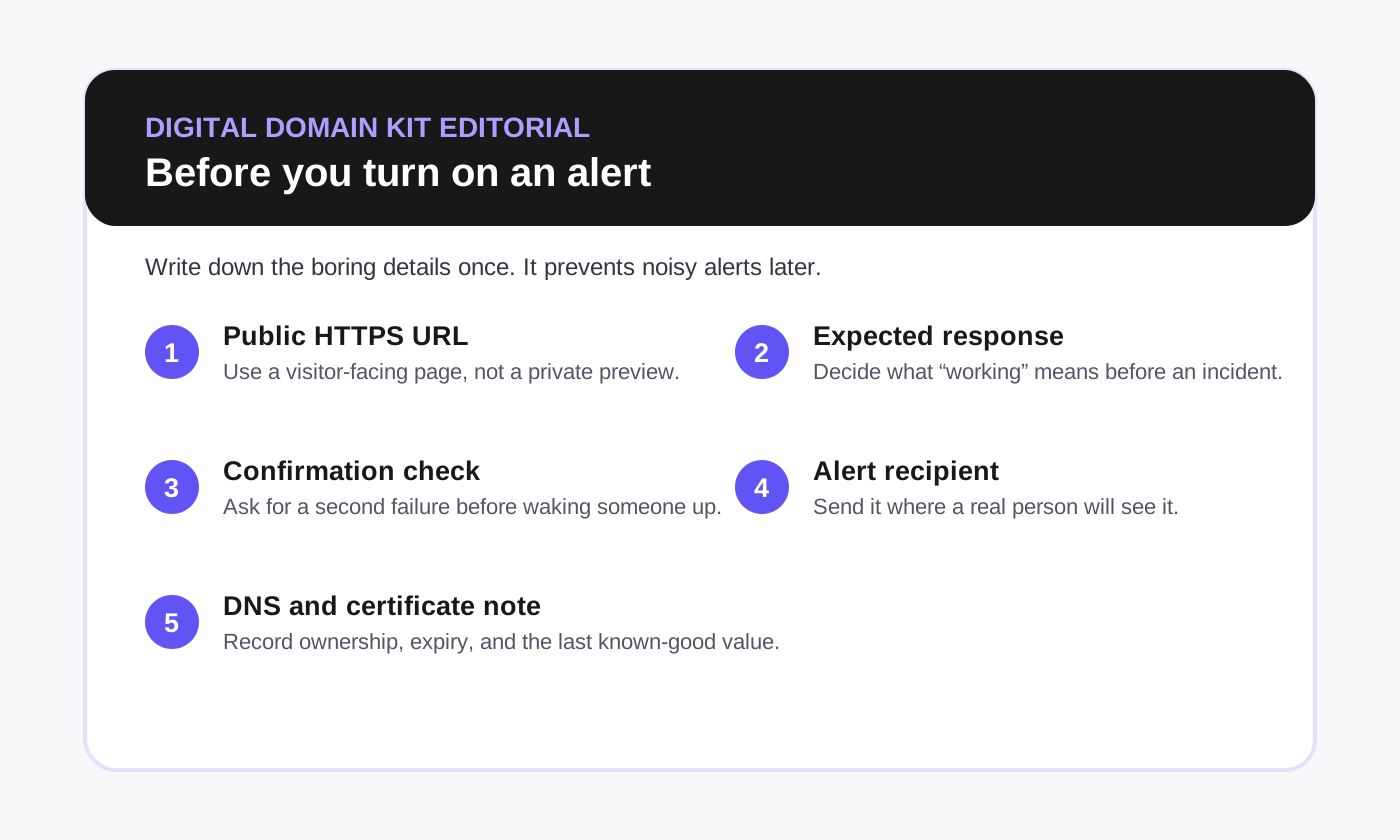
- Write a tiny response note. Put it in the monitor description: where DNS is managed, where the host is managed, and who owns the domain account. Future-you will thank present-you.
When the monitor says “down,” verify before changing anything
Monitoring alerts are a signal, not a diagnosis. Start with a quick outside-in check. That helps you avoid changing DNS because of a one-off monitor failure, or rebooting a server when the real issue is an expired certificate.
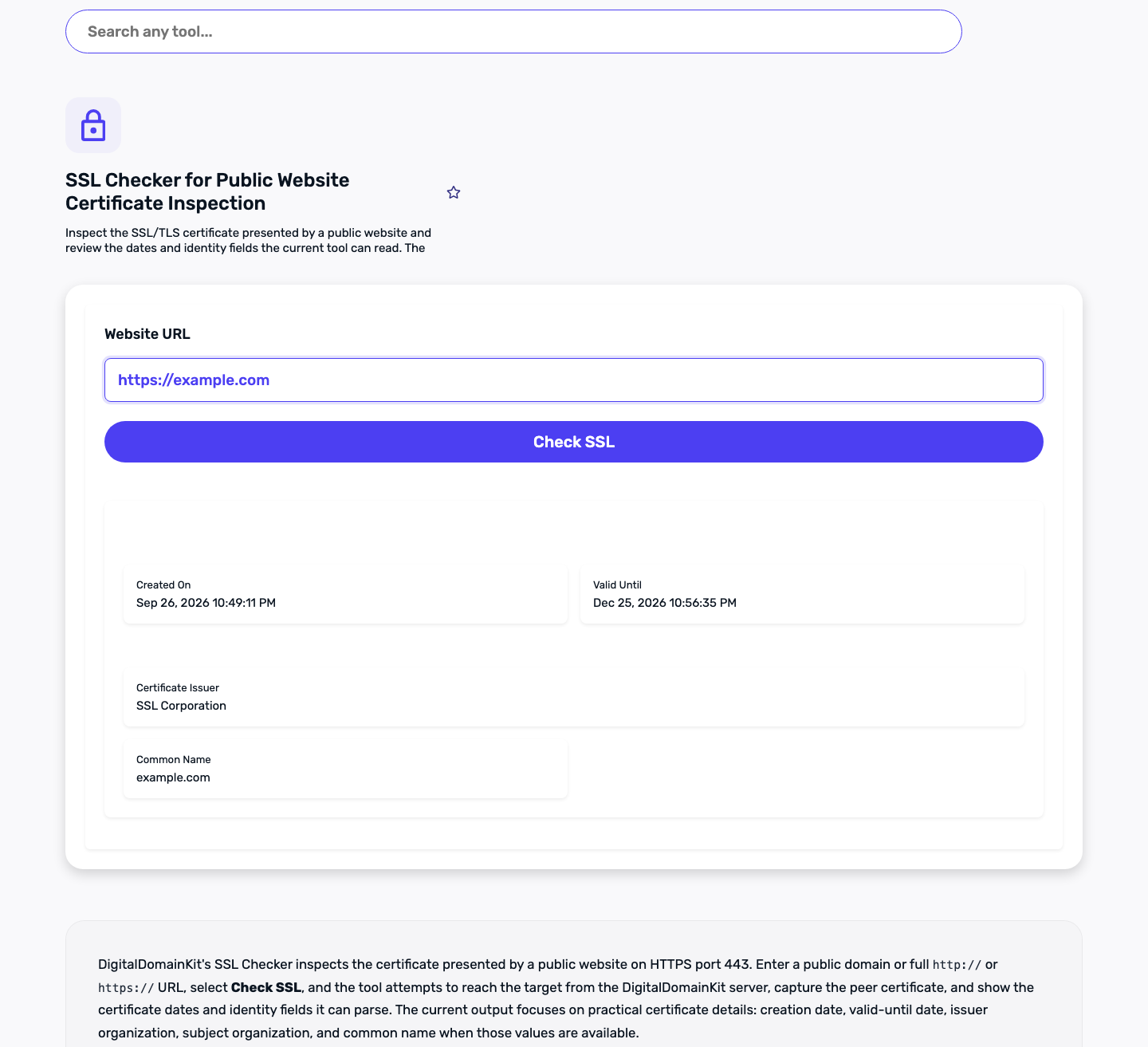
- Run the SSL Checker against the exact HTTPS hostname. Confirm that the certificate is valid for that host.
- Run a DNS Lookup and compare the important records with the values in your host or DNS provider.
- Use the Redirect Checker on the URL your monitor uses. Check for loops, a surprising final destination, or an unexpected HTTP version.
- Use the HTTP Headers Parser to look at the response and caching/security headers without digging around in browser developer tools.
If those checks look normal but visitors still report a problem, try the affected action yourself from a private browser window. For a login, checkout, or form, a browser-style scenario monitor may be more useful than a basic status monitor. Better Stack documents browser scenarios through its Playwright monitor type; this is the point where that level of monitoring starts to earn its keep.
Common mistakes that create noisy, useless monitoring
- Monitoring only the server: a reachable IP does not prove your website works.
- Monitoring only the homepage: add the one task that pays the bills or collects leads.
- Alerting on a page title: titles change. Use a small stable phrase or a purpose-built health endpoint.
- Sending alerts to an unattended inbox: test alerts after setup and after team changes.
- Skipping maintenance windows: planned deployments can teach everyone to ignore alerts. UptimeRobot and other providers document maintenance-window features; use them when you know work will cause failures.
- Publishing secret heartbeat URLs: rotate the URL if you accidentally expose it.
Our practical recommendation
For most small sites, start with one external HTTPS monitor, certificate/domain reminders, and a second check for the important customer action. Add DNS record monitoring after a migration or when multiple people can edit DNS. Add a heartbeat only when you have a job that needs to happen on schedule.
That is intentionally not glamorous. It is also enough to catch the failures that usually matter, without turning a one-person website into an operations department. Review the setup every six months, especially after changing hosts, DNS providers, domain ownership, or the part of the site that generates revenue.
Frequently asked questions
Do I need monitoring for a personal website?
Probably a basic HTTPS monitor and certificate/domain renewal reminders are enough if the site matters to your work or reputation. Skip complicated escalation and infrastructure checks unless you have a real use for them.
Is uptime monitoring the same as website performance monitoring?
No. Uptime monitoring answers whether a service responds. Performance monitoring looks at speed and slowdowns. Some platforms offer both, but choose the check based on the question you need answered.
How often should a small website be checked?
Choose a frequency that matches the cost of being unavailable and the alert plan you are willing to maintain. Faster is not automatically better if it creates noise or costs more than the outage risk justifies.
Can I use a free monitoring plan?
Often, yes, for a first HTTPS monitor. Confirm the current limitations for check frequency, alert channels, SSL/domain checks, history, and monitor count in the vendor’s current documentation before relying on it.