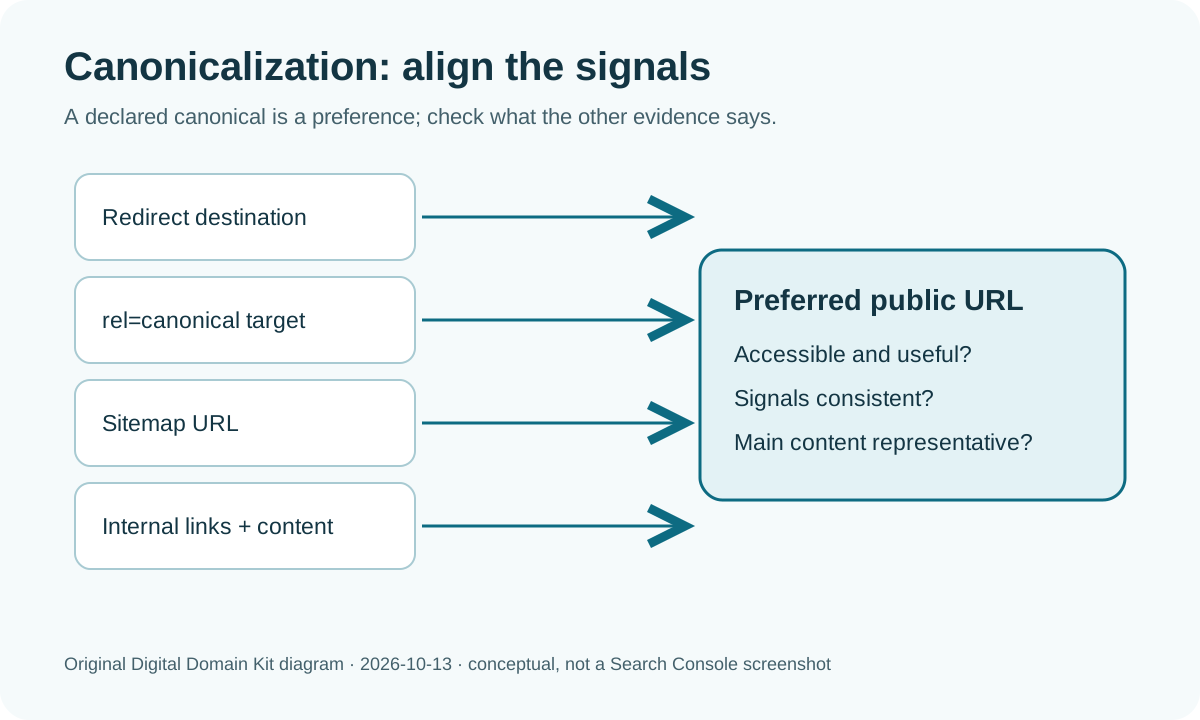
Search Console says “Duplicate, Google chose different canonical than user,” even though your page contains the canonical tag you intended. It is tempting to install another SEO plugin or resubmit the sitemap until the warning disappears. Neither action answers the first question: which URL did Google choose, and is that choice actually wrong for a visitor?
A site-migration discussion in r/SEO describes Google still selecting old-domain or preview URLs after a move. Another discussion about regional store URLs shows that the “wrong” version may be a usable page with nearly identical content. Those are different problems. The posts illustrate reader confusion; Google’s own documentation, not forum guesses, determines the diagnostic approach.
Short answer: A declared canonical is a strong preference, not a command. Inspect the reported URL and Google-selected canonical in Search Console. Compare their content, HTTP status, redirects, canonical tags, internal links, and sitemap entries. If the selected URL is the better representative, leave it alone. If a preview host, old domain, or unwanted variant is selected, make all signals point consistently to the preferred accessible page, then allow recrawling.
Decide whether there is a problem to fix
Canonicalization groups duplicate or very similar pages so one URL represents them in search. Google’s canonicalization explanation notes that duplicate URLs are normal: HTTP and HTTPS, regional variants, sorting parameters, and accidental staging copies can all produce them. A duplicate exclusion is not, by itself, a site penalty. If the chosen canonical is your intended page and that page is indexed, the excluded URL may be functioning exactly as expected.
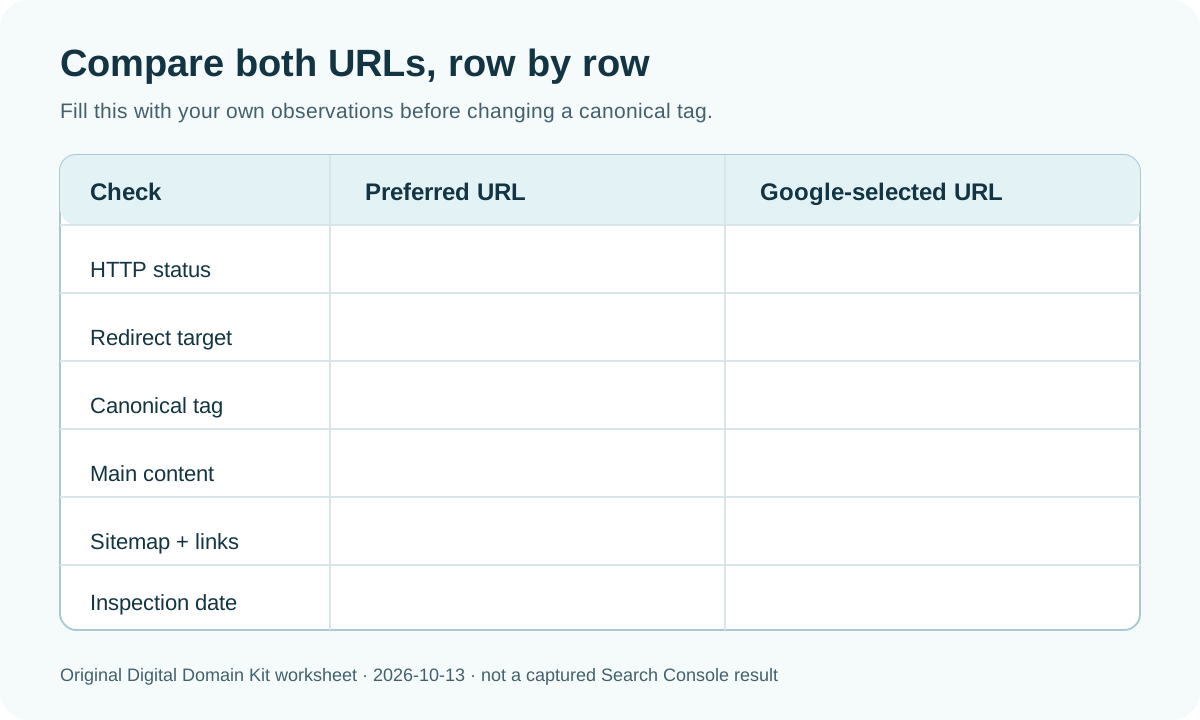
Open URL Inspection for the affected address. Record the user-declared canonical, Google-selected canonical, last crawl date, indexing state, and any retrieval issue. Then inspect the chosen URL too. Google’s troubleshooting guide starts with the selected URL because it may make more sense than the one the publisher requested. If Search Console shows no selected URL or a result that seems internally contradictory, keep the inspection date and live-test result; the indexed view and live page can reflect different crawl times. Do not infer that a new edit has been processed immediately.
| What Google selected | First decision | Likely work |
|---|---|---|
| The preferred URL | Usually no canonical fix | Check whether that URL is indexed and useful. |
| HTTP or alternate host | Compare sitewide signals | Align redirects, canonical tags, links, and sitemap. |
| Old domain or preview site | Check exposure and migration | Inspect redirects, staging access, and old links. |
| Another genuinely distinct page | Compare main content | Make the pages meaningfully different if both should appear. |
This table is a decision aid, not a promise that a particular edit forces Google’s choice. A site owner can state a preference; Google evaluates the set of signals it sees. The remainder of this guide is about finding contradictions in that set.
Compare both URLs as a reader and as a crawler
Open the preferred URL and selected URL side by side. Are they actually different pages, or two addresses for the same main content? Compare the title, body, product or article identity, language, and whether one is a thin preview. A parameterized page with only a sort order change is a natural duplicate candidate. Two category pages serving distinct inventory and intent may need unique content and clear navigation, not a canonical tag that collapses them.
Use the Digital Domain Kit HTTP Status Code Checker for each exact URL, including protocol, www, path, trailing slash, and query string where relevant. A preferred canonical should be a fetchable page, normally returning 200 rather than redirecting to another address or producing an error. Use the Redirect Checker to follow alternate URLs. If the declared canonical redirects to the URL Google selected, the tag and redirect disagree. Fix the target or change the canonical preference, depending on which page is actually meant to remain.

Check the rendered HTML for exactly one <link rel="canonical"> in the document head and record its full target. A CMS, SEO plugin, theme, and edge rule can each add one, leaving conflicting declarations. Inspect the HTTP response as well: some files or pages can use a canonical Link header. Google’s canonical methods guide documents both HTML and HTTP-header approaches. If the page is generated by JavaScript, compare raw HTML with rendered DOM and verify what Google can actually see; do not assume a plugin setting equals the final delivered page.
Use a fully qualified canonical URL that resolves to the intended page. Avoid pointing all pages to the homepage; a category, article, or product has a more specific representative. Likewise, do not canonicalize genuinely different pages just because they are on similar topics. Canonicalization is for duplicates or very similar primary content, not a substitute for writing distinct useful pages.
Resolve conflicts among redirects, sitemaps, and links
Google identifies redirects, rel="canonical", and sitemap inclusion as canonicalization signals, and notes that they vary in strength. A permanent redirect from an old URL to its exact new counterpart is a clear migration signal. A canonical tag on the new page pointing back to the old address contradicts it. A sitemap containing only the old address adds another contradiction. The goal is a coherent preference, not a large number of disconnected hints.
Look at your XML sitemap and internal navigation. Does the sitemap list the preferred URL as an indexable page? Are article cards, breadcrumbs, and related links pointing there, or still to the old/preview version? You can inspect the sitemap directly or use the Digital Domain Kit Sitemap Visualizer to understand what was submitted. A sitemap does not guarantee indexing and does not override a redirect, but it should not advertise a URL you no longer want as canonical. Google’s methods documentation warns against sending inconsistent canonical preferences through different methods.
For a site move, test representative old URLs individually, not just the old homepage. Each old article should lead to its corresponding new article where that content still exists. A blanket redirect to the new homepage is less helpful to visitors and does not establish a clear one-to-one replacement. Check that new pages do not redirect back to the old host and that an accessible preview hostname has not been indexed. If a preview site is publicly reachable with the same content, remove public access or follow your platform’s staging controls. Do not rely on a canonical tag to secure private material.
Keep a small mapping sheet for a migration: old URL, intended new URL, redirect status, final destination, and whether the new page’s canonical points to itself. This catches a subtle error where the old page redirects correctly but the new page’s template still emits the old hostname in its canonical tag. Test at least one article, one category, and one page using a distinct template, because CMS templates can generate tags differently. If an old page has no true replacement, choose a user-helpful outcome rather than redirecting unrelated content solely to transfer a ranking signal. The reader should land on a page that answers the same need.
Check whether the pages are too similar—or not similar enough
If both URLs should be searchable, make their main content and purpose distinct. Google’s canonical troubleshooting guide says sufficiently different content is central to splitting pages out of a duplicate cluster. Changing only the title tag, a location name, or a currency marker may not make a page meaningfully different for a user. Explain the distinct offering, availability, constraints, and local information if those differences are real.
Conversely, if two URLs truly show the same article, choose one durable address and consolidate. Keep it reachable, link to it internally, include it in the sitemap, and point duplicate versions toward it through the appropriate redirect or canonical method. If different regional pages are useful, assess internationalization separately; Google's documentation notes that same-language regional variants can be clustered and that hreflang and canonicalization must be coordinated. Do not noindex a needed regional page just to clear one Search Console row without deciding whether visitors need that page in search.
For edge cases, check what the server returns to Googlebot and to a normal browser. Misconfigured servers can vary canonical tags, redirect targets, or content by user agent, locale, cookie, or device. Avoid creating a special Googlebot-only page as a shortcut; instead make the intended public version stable and accessible. If the selected canonical belongs to a domain you do not own, document the exact selected URL and check whether the other host is serving a copy or pointing at your infrastructure. Google warns that Search Console traffic for a canonical in an unowned property will not be visible in your property.
After a fix, measure the right outcome
Make one coherent set of changes, then verify the public response. Reinspect the URLs in Search Console. Its live test can confirm the current fetch and rendered content, but the indexed canonical may still reflect an earlier crawl. Google’s troubleshooting documentation says reevaluation can take time and a duplicate cluster can persist for up to two weeks after content changes. It recommends requesting indexing for the most important corrected URLs rather than treating the request button as a bulk forcing tool.
Record the date, preferred and selected URLs, changes made, and the next inspection result. Your success condition is not merely that one status label disappears. It is that the intended page is accessible, represents the content users should find, and appears in Search with the correct URL over time. If the Google-selected URL is a harmless duplicate of your intended page, redirecting or rewriting a functioning site to “fix” a report can create more damage than leaving the cluster alone.
Final diagnostic checklist
- Inspect the affected URL and the Google-selected canonical; save both exact addresses and crawl dates.
- Decide whether the selected page is actually less useful or merely a normal duplicate representative.
- Check status and full redirect chain for both URLs, including host and protocol variants.
- Inspect final HTML and HTTP headers for conflicting canonical declarations.
- Compare main content and whether both pages genuinely deserve separate search results.
- Align internal links and sitemap entries with the preferred accessible URL.
- Verify the public response, request reindexing for priority pages, and allow time for recrawling.
For an error or broken example in this guide, use the Digital Domain Kit contact page. Include the section and a public URL if you are comfortable sharing it; do not send Search Console credentials.
Sources and review method
Reviewed October 13, 2026 against Google Search Central’s canonicalization overview, canonical preference methods, and troubleshooting process. The Reddit discussions above informed the practical scenarios, not the rules or promised results. No private Search Console property was inspected for this guide, and no claim is made that a canonical edit guarantees indexing.